





A Zendesk account is required to use this integration.
Connect ClickSend with Zendesk to send and receive SMS directly from support tickets
Imagine resolving customer issues swiftly and efficiently while reaching a global audience — that's the power of ClickSend SMS for Zendesk. Use the SMS Zendesk integration for better communication with customers, employees and prospects.
What does this integration do?
Send SMS from Zendesk tickets: Use the ClickSend app to send outbound SMS to customers from any Zendesk ticket. |
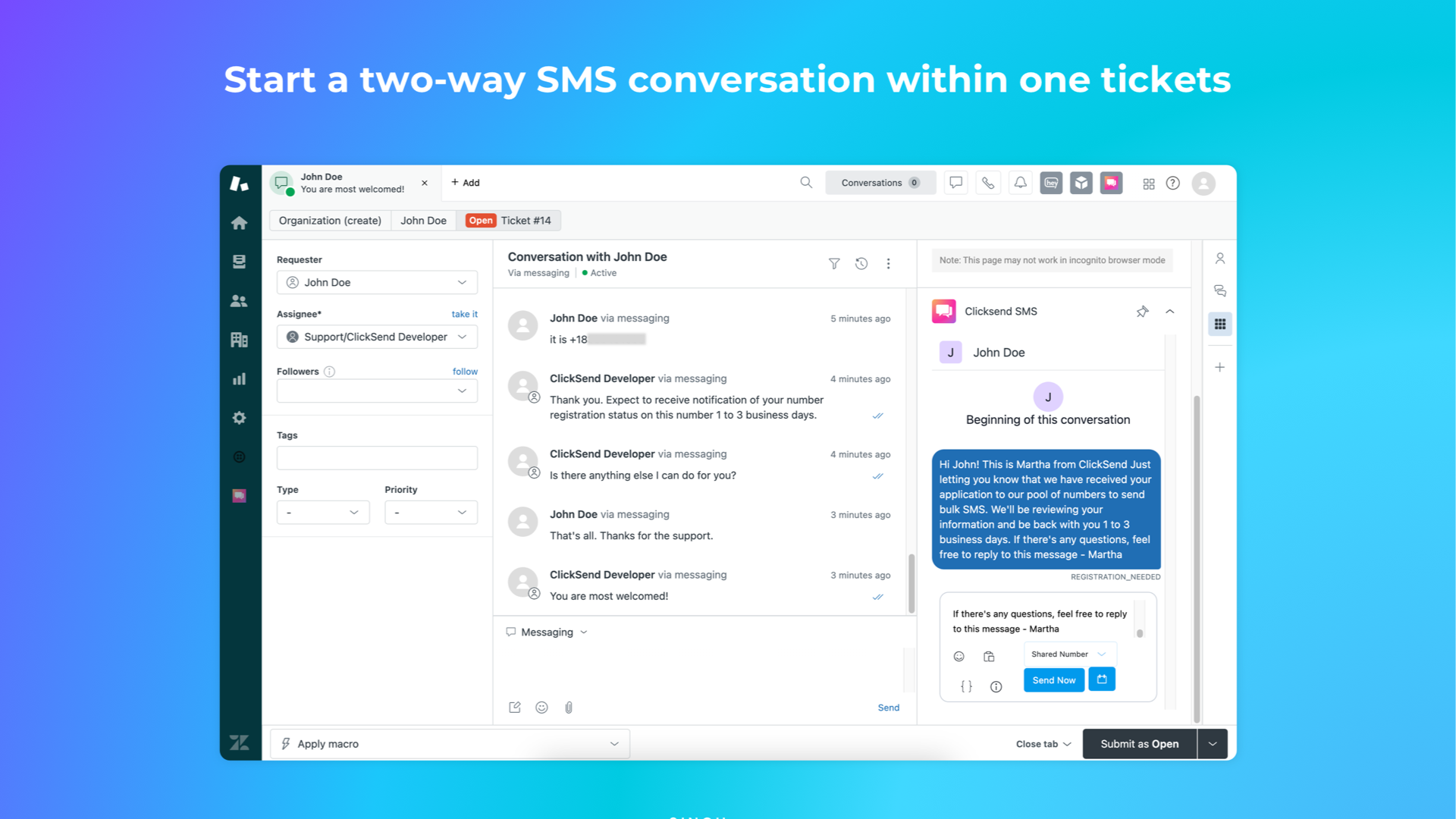
Receive replies as ticket updates: Incoming SMS replies are automatically logged in the ticket thread, keeping everything in one place. |
Use templates for fast responses: Save time with reusable SMS templates for common replies or notifications. |
Improve resolution time with real-time communication: Reach customers quickly when urgency matters most. |
Two-way messaging: Maintain conversations via SMS, all within the Zendesk interface. |
Why connect ClickSend and Zendesk?
Deliver instant support via text
Keep your team and customers in sync
Boost CSAT with fast, personal communication
Never miss a response – everything’s tracked in Zendesk
Reduce email clutter with concise SMS updates
Whether you're confirming appointments, solving urgent issues, or just checking in, SMS from Zendesk helps your support team move faster and serve better.

What you can do with
Zendesk + ClickSend

Send SMS messages
Send a text message to a specific number. Perfect for one-on-one conversations, automatic reminders and more.

Bulk messaging
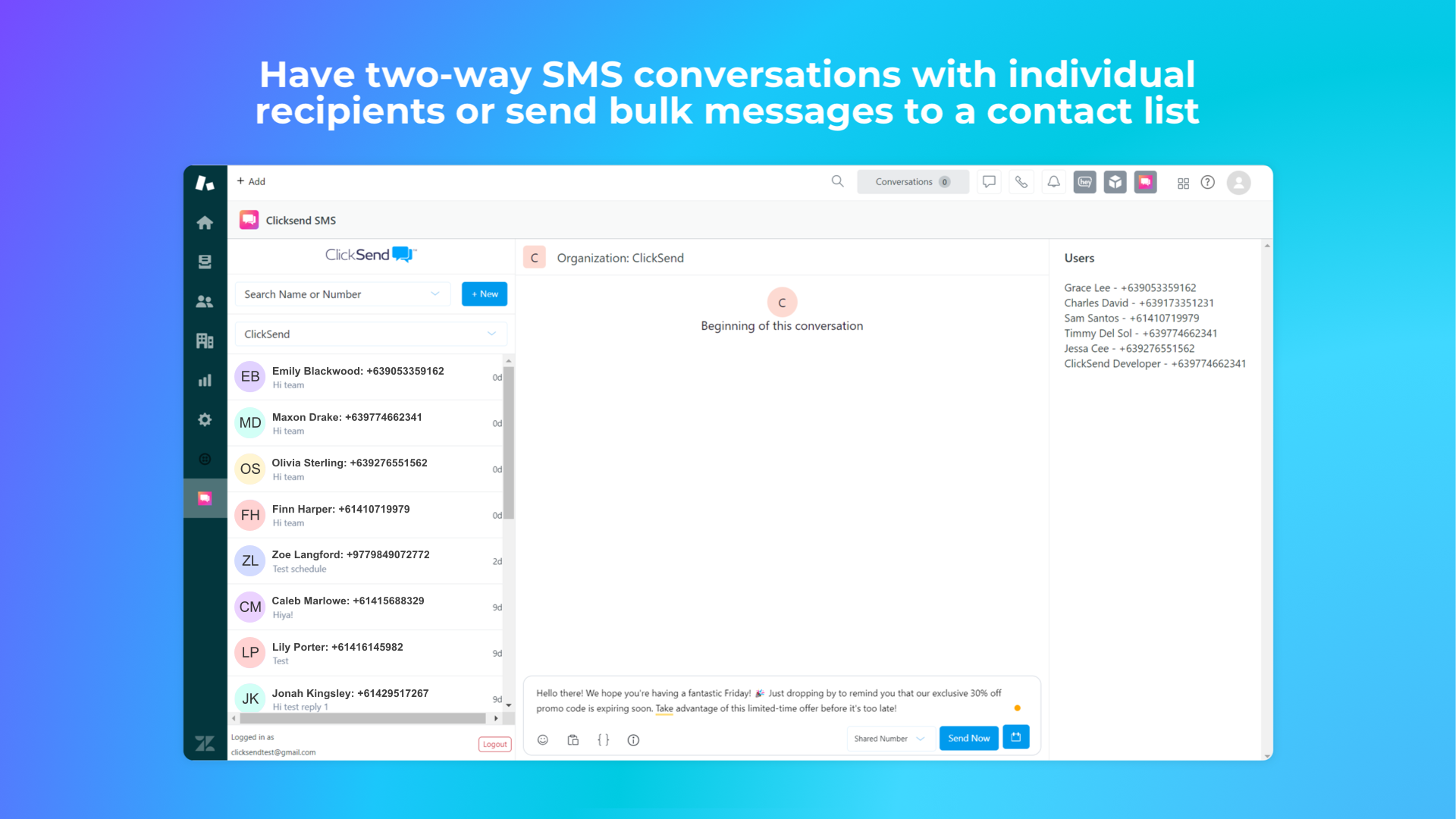
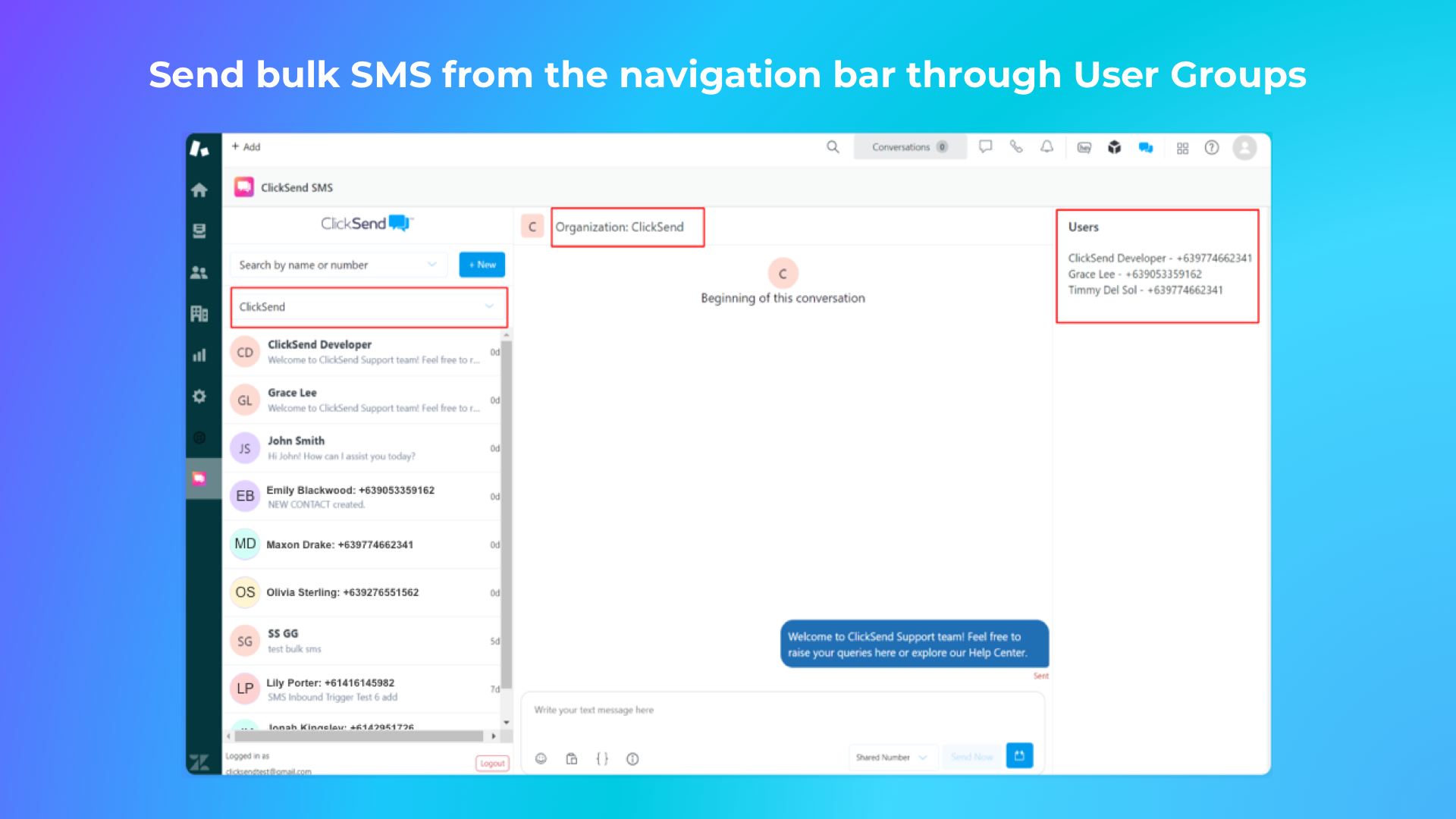
Send bulk SMS or MMS to the contact lists stored in your ClickSend account. Reach up to 20,000 contacts at once.

Two-way messaging
Enable two-way SMS messaging for customer conversations and customer support. Keep the texts flowing.
Resources

Ready-to-use templates for Zapier


Plug and play with a free account
Want to hook ClickSend up to your top tools? Get started with a free ClickSend account. It only takes a few minutes to set up.